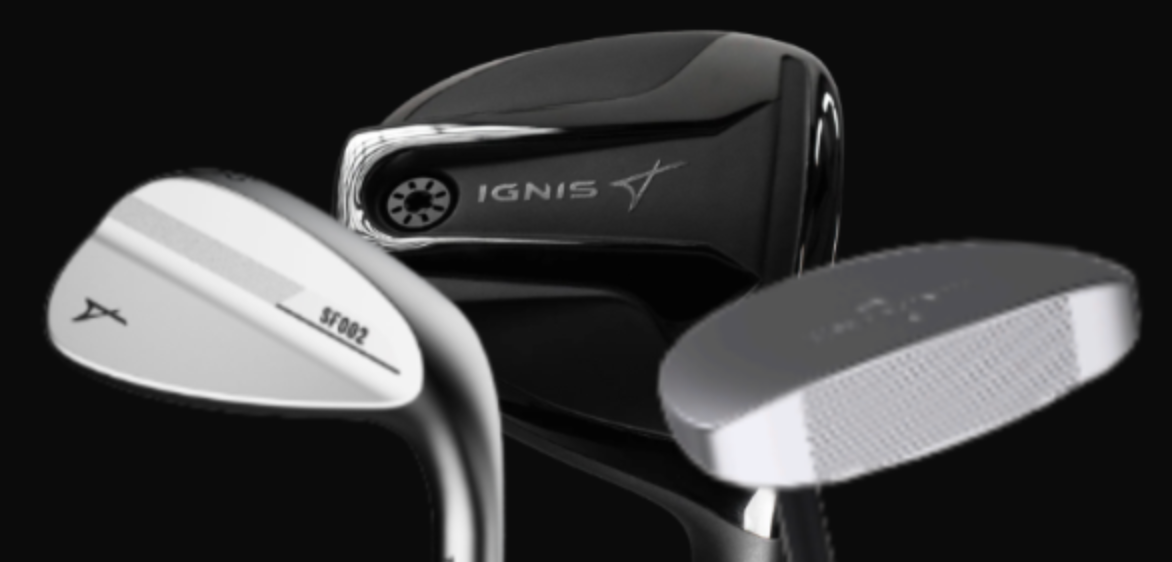




Leave the sleeve on N for your first range session with the IGNIS D2. That's the neutral setting, and our help center guide says plainly that starting there is highly recommended. Once you know your normal ball flight, make one change at a time. If your drives come out low, turn to NE for 1° more loft (right-handed, NW on a left-handed driver). If they start right of your target (right-handed), turn to S for an upright lie, which can start the ball a little further left.
That's the short version of the Takomo driver settings. Below you'll find the full adapter chart in a table you can read on your phone, what each letter does to the ball, how to change a setting without guessing at the torque, and the two choices you make before the driver ships, the loft and the shaft. If you're still deciding whether the IGNIS D2 is the right driver for you, who the IGNIS D2 driver is really for answers that. This page assumes it's already in your bag, or about to be, and sets it up.
The IGNIS D2 Settings Chart

The sleeve on the IGNIS D2 driver has eight settings, labeled like the points of a compass. N leaves the head at its standard loft and lie, and the other seven change the loft, the lie or both. Here is every setting for a right-handed driver, copied from our adapter sleeve guide:
| Setting | Right-handed effect |
|---|---|
| N | Neutral (Standard) |
| NE | +1° Loft |
| E | +2° & upright lie angle |
| SE | +1° & upright lie angle |
| S | Upright lie angle |
| SW | -1° & upright lie angle |
| W | -2° & upright lie angle |
| NW | -1° Loft |
Left-handed, the loft changes swap sign, so NE takes 1° off and NW adds 1°. The full left-handed column sits next to this one in the same guide, so read it there before you turn anything.
Two settings change loft alone, NE and NW. S changes the lie alone. The other four do both at once, so treat them as a second step, not a first one.
What Each Setting Does to Your Ball Flight
Loft is the launch control. Trackman, the launch monitor maker, quotes this line in its guide to dynamic loft: "Dynamic Loft is the main factor for launching a ball into the air." More loft on the sleeve starts the ball higher, and less starts it lower. Trackman also warns that "too little Dynamic Loft can send the ball too low", which is the drive that runs out of air halfway to the fairway bunker.
Lie decides where the ball starts. MyGolfSpy, the equipment testing site, has a guide to lie angle misses that sums up the upright side in one line: "Too upright (toe up): Ball starts left and may hook." For a right-hander, an upright setting is useful when your drives keep starting right of the target, because it can lean the start line a little back toward the left. On a driver's low loft the change is small, so give it a full session before you judge it.
So for a right-handed driver the chart reads like this in plain words. Left-handed, the loft changes flip, so read your column in the guide.
- NE or NW for height only. NE launches higher, NW lower.
- S for a start line a little further left, with your loft untouched.
- E or SE for a higher flight that also starts a little further left.
- SW or W for a lower flight that also starts a little further left.
None of these settings fixes a swing. A setting only moves where your usual shot starts and how high it goes. Change one thing at a time, hit enough balls to see a pattern, and only then decide whether the setting stays.
How to Change a Setting in Three Steps
The driver comes with its own torque wrench, and you need nothing else. Our guide lays it out in three steps:
- Remove the protective packaging and make sure the adapter and the clubhead hosel are clean.
- Slide the clubhead onto the adapter and line up the letter for the setting you want with the indicator mark on the hosel.
- Tighten the screw clockwise with the included torque wrench, and keep turning until you hear a distinct click.
That click is the whole point of a torque wrench. It tells you the screw is at the right tension, so you never have to guess how hard to crank it. Stop at the click and the head stays put.
One rule to know before you play. The R&A's Rule 4.1a(3) rules out hitting a club whose playing characteristics you've deliberately changed mid-round, which includes doing it "By using an adjustable feature". Pick your setting on the range, not on the 7th tee. Twisting the sleeve between holes teaches you nothing, and a stroke with the changed setting gets you disqualified.
9° or 10.5°, Picking Your IGNIS D2 Loft

We make the IGNIS D2 head in two lofts, 9° and 10.5°, and the sleeve then moves either head up or down by up to 2°. The head loft is the bigger decision, and the sleeve fine-tunes it.
We describe the two heads this way. The 9° is for golfers who are comfortable with their swing and get the ball up without much effort. The 10.5° is for golfers who need a bit more air under the ball and prefer an easier launch.
If you're between the two, take the 10.5°. If the ball balloons, NW (NE on a left-handed driver) takes 1° off. The 9° earns its place at the other end, with the swing that already gets the ball up easily.
For the wider question of loft against swing speed and angle of attack, our guide on what loft driver you should use covers it in full.
Both heads share the same build. The IGNIS D2 has an HST160C titanium body under a carbon crown, a variable-thickness face, a neutral face angle, a 58° lie, a 197 g head and a 45.75-inch standard length. It's $329 USD in either loft.
Ventus Red or Blue, Picking the Shaft
Both lofts come with a choice of two shafts, the Fujikura Ventus Red and the Fujikura Ventus Blue, and the difference between them is launch and spin.
| Shaft | Launch and spin | Flexes |
|---|---|---|
| Ventus Red | Higher | Regular, Stiff |
| Ventus Blue | Lower | Regular, Stiff, X-Stiff |
The Ventus Red is the higher launching, higher spinning option. The Ventus Blue launches and spins lower, and it comes in 50 g and 60 g weights, with the X-Stiff in the 60 g only.
Pair them with the head. A 10.5° on a Ventus Red is the highest launching pairing you can select, and a 9° on a Ventus Blue is the lowest. If your drives balloon, the Blue is the shaft to pick. If they never get up, the Red.
For flex, go by your driver swing speed. Stiff is the flex for a driver you swing at 95 to 105 mph. If you swing slower than that, take the regular. If you swing faster, the Ventus Blue in X-Stiff is the one to look at.
The 3 g and 8 g Weights

The IGNIS D2 has a single weight port at the back of the head. A 3 g weight comes installed, and an 8 g weight is in the box with the headcover and the wrench.
The heavier weight raises the overall head weight and the swing weight. That suits golfers who like to feel where the head is during the swing, and golfers who play a shorter shaft and want the head to feel heavier again. The stock swing weight is D2.
Leave the 3 g in for your first sessions. Swap to the 8 g only if the head feels light in your hands, or if you play a shorter shaft.
Still Not Sure Which Setting Is Yours?
Then you haven't hit enough balls on N yet. Give it a full range session, note the start line and the height of your usual drive, and make the one change the chart points to.
The rest of your bag deserves the same care. Run the fitting tool for an iron set recommendation that comes with shaft length, shaft stiffness, lie angle and grip size.
FAQs About Takomo Driver Settings
Why Does the IGNIS D2 Sleeve Use Letters and Not Numbers?
So one sleeve works on right- and left-handed drivers alike. In our guide's words, "we decided to go with a universal, lettered design that works for both-handed clubs." The chart in the guide then gives the effect of each letter for your hand.
Which Setting Should I Start On?
N, the neutral setting. Hit enough balls there to know your normal flight, then change one setting at a time.
Can I Change the Setting During a Round?
Not if you want to hit with it. The R&A's rule on adjustable clubs bars a stroke with a driver whose sleeve was turned mid-round. Turn it back as nearly as possible to the original letter before your next swing with it, and there's no penalty.


